Right click and copy, back on.
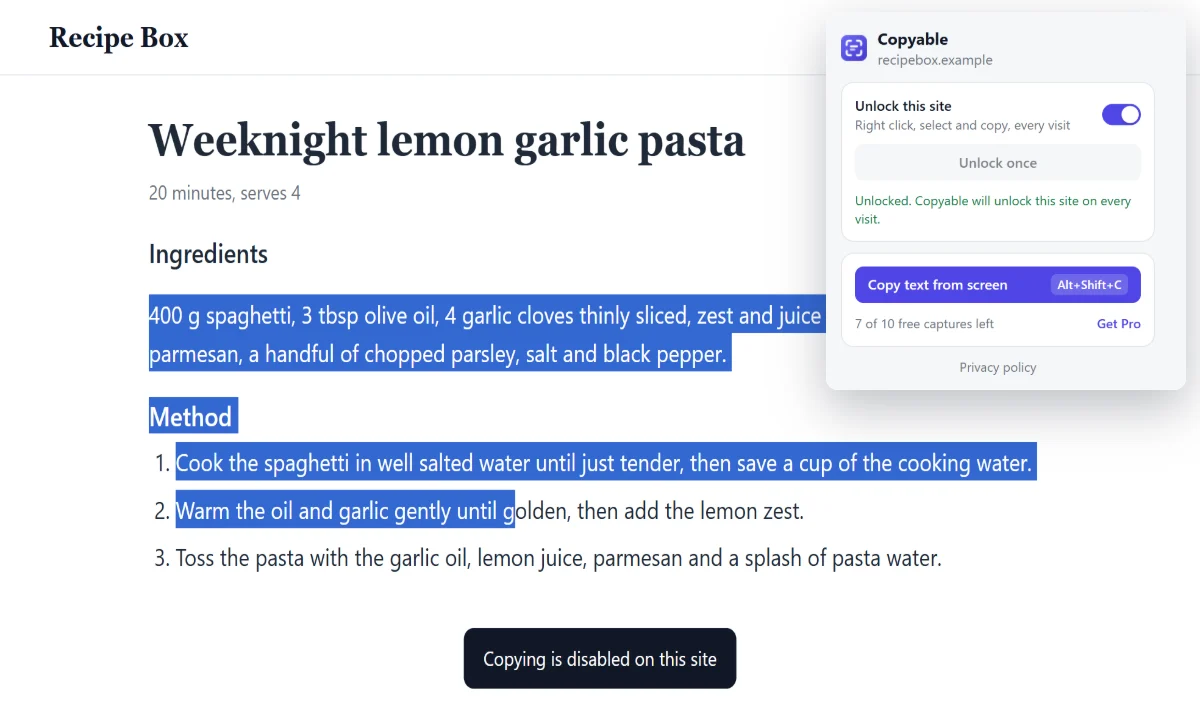
Some sites switch off text selection, the right click menu and Ctrl+C. Turn on "Unlock this site" and they work again on every visit.
- Select, right click, copy and paste as usual
- Frames from the same site are unlocked too
- "Unlock once" lasts until you reload the tab
Text from pixels.
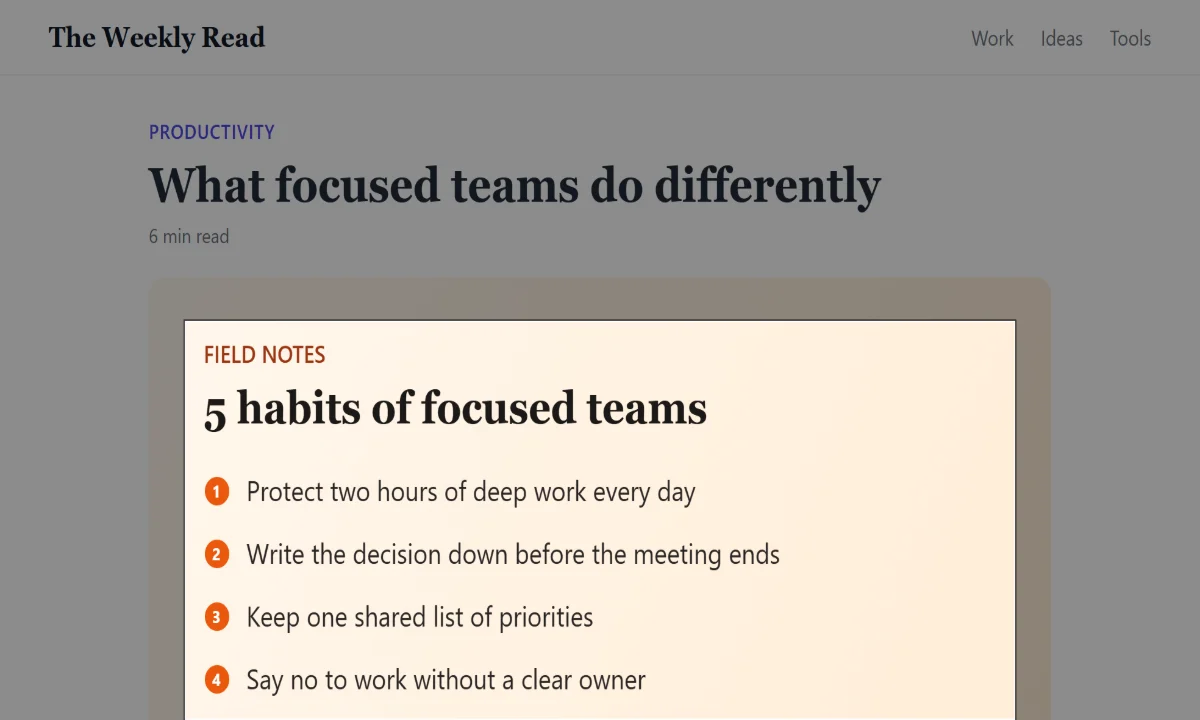
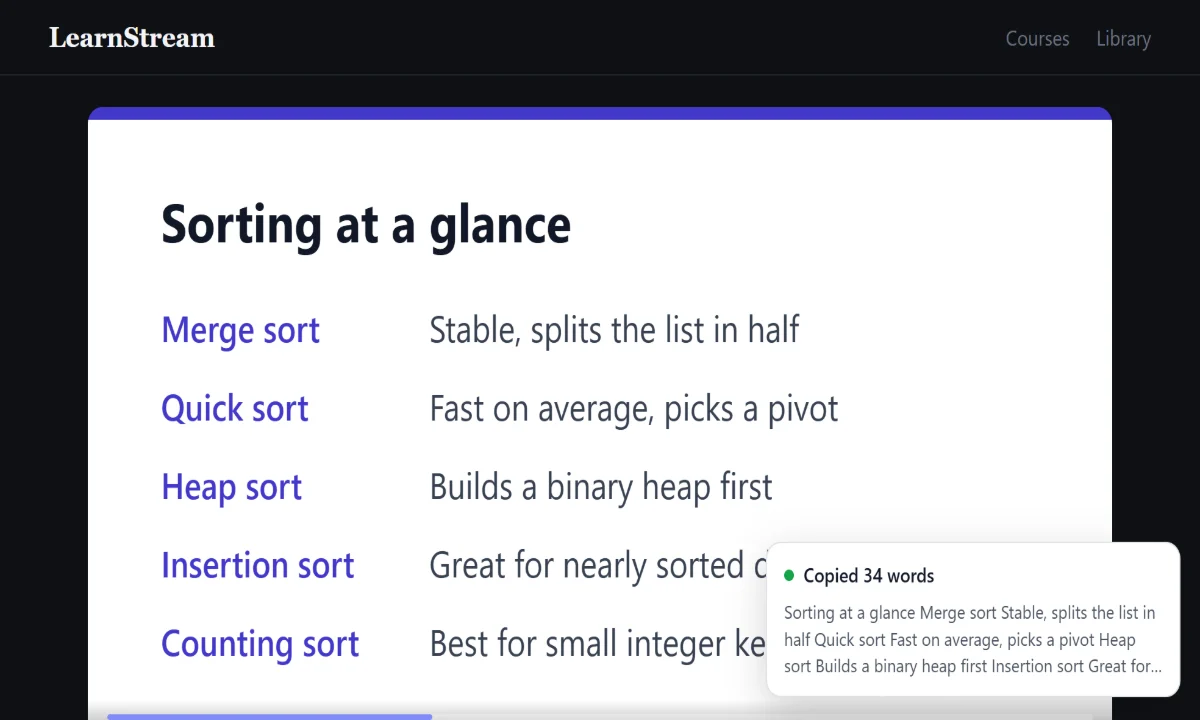
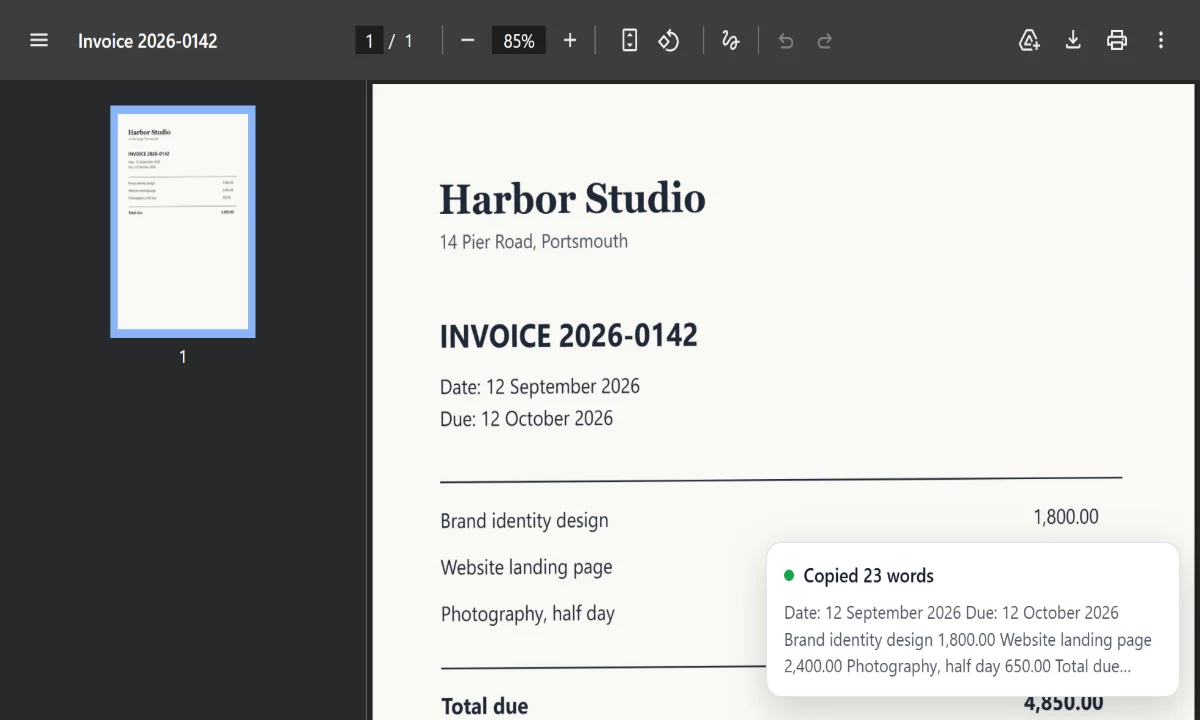
Press Alt Shift C, drag a box, and the words are on your clipboard. Copyable reads the screen, not the page code, so it works where copying never could.
Your screen stays on your screen.
Text recognition is built into the extension. What you capture is read in your browser and goes to your clipboard, nowhere else.
- Read on your device
- The OCR engine ships inside Copyable. Screenshots are never uploaded or saved.
- Works offline
- No servers, no account and no sign up. Unlocking and OCR both run without a connection.
- No tracking
- No analytics, no ads and no data collection of any kind.
- Asks for as little as possible
- Copyable only gets access to a site when you unlock that site, one at a time.
Free to unlock. Pay once for unlimited OCR.
Free
$0
- Unlock right click and copy on every site
- 10 text captures from images, videos and PDFs
- Everything runs on your device
Pro
$4.99one time
- Unlimited text captures
- Use it in up to 3 browsers
- Refund within 14 days, no questions
Pro is a license key sold through Polar.sh. After checkout, paste the key into the Copyable popup and click Activate.
Start in under a minute.
-
Add Copyable to Chrome
Install it from the Chrome Web Store and pin it to your toolbar.
-
Unlock a site
On a page that blocks copying, click the Copyable icon and turn on "Unlock this site".
-
Copy text from anything
Press Alt Shift C, drag over the text, then paste it anywhere.
Questions
Does it work offline?
Yes. Unlocking sites and reading text both happen in your browser. Only activating a Pro key needs a connection, and Pro keeps working offline for up to 14 days between checks.
Which languages can it read?
English, including numbers and punctuation. More languages may come later.
Why does it not run on some pages?
Chrome blocks every extension on its own pages, like Settings, the New Tab page and the Chrome Web Store. Copyable tells you when that is the case.
Can unlocking a site break it?
Some web apps handle copy and paste themselves, like online editors. If a site acts up, turn it off in the Copyable popup and reload the page.
How do I move Pro to another browser?
One key works in up to 3 browsers at the same time. To free a slot, click "Remove key" in the popup on the browser you no longer use.
Can I get a refund?
Yes, within 14 days of buying, no questions asked. Email support@procd.cc from the address you used at checkout.